



Angular has long been one of the most trusted frameworks for building large-scale web applications. From enterprise platforms and SaaS products to internal business systems, organizations continue to rely on Angular for its structure, scalability, and long-term maintainability.
With the Angular 22 release, the framework introduces a series of updates focused on performance, developer experience, accessibility, and modern reactive programming patterns.
Rather than reinventing how Angular works, Angular v22 refines several capabilities that developers have been using in previous versions. Features such as Signal Forms and Resource APIs have reached stable status, while improvements to change detection and HTTP handling help simplify application development.
For development teams, the latest Angular version brings meaningful updates that can reduce complexity, streamline workflows, and make applications easier to maintain over time.
In this guide, we’ll explore what’s new in Angular 22, the features that matter most, what developers should know before upgrading, and why Angular continues to be a strong choice for enterprise-scale frontend development.
What Is Angular 22?
Angular 22 is the latest Angular version released by Google, continuing the framework’s focus on performance, developer productivity, and enterprise-scale application development.
Rather than introducing major architectural changes, Angular 22 builds on the foundation established in previous releases. Several APIs that were previously considered experimental have now reached stable status, giving development teams greater confidence when adopting modern Angular patterns in production environments.
The Angular 22 release places a strong emphasis on reactive development through Signals, improved data handling, better accessibility support, and more efficient application performance. These updates help developers write cleaner code while reducing the complexity often associated with large frontend applications.
Some of the most notable additions include:
- Enhancing reactivity through stable Signals-based APIs
- Improving application performance by default
- Simplifying state and data management
- Strengthening accessibility support
- Modernizing networking through the Fetch API
- Supporting AI-powered development workflows
- Reducing unnecessary framework complexity
For businesses and development teams, these improvements translate into applications that are easier to maintain, scale, and optimize over time. Organizations already using Angular can benefit from a smoother development experience, while teams evaluating modern frontend frameworks gain access to a mature ecosystem backed by Google’s long-term investment and support.
Businesses looking to adopt or modernize Angular applications often partner with providers offering Angular development services to ensure successful implementation and long-term scalability.
Which New Angular 22 Features Matter Most?
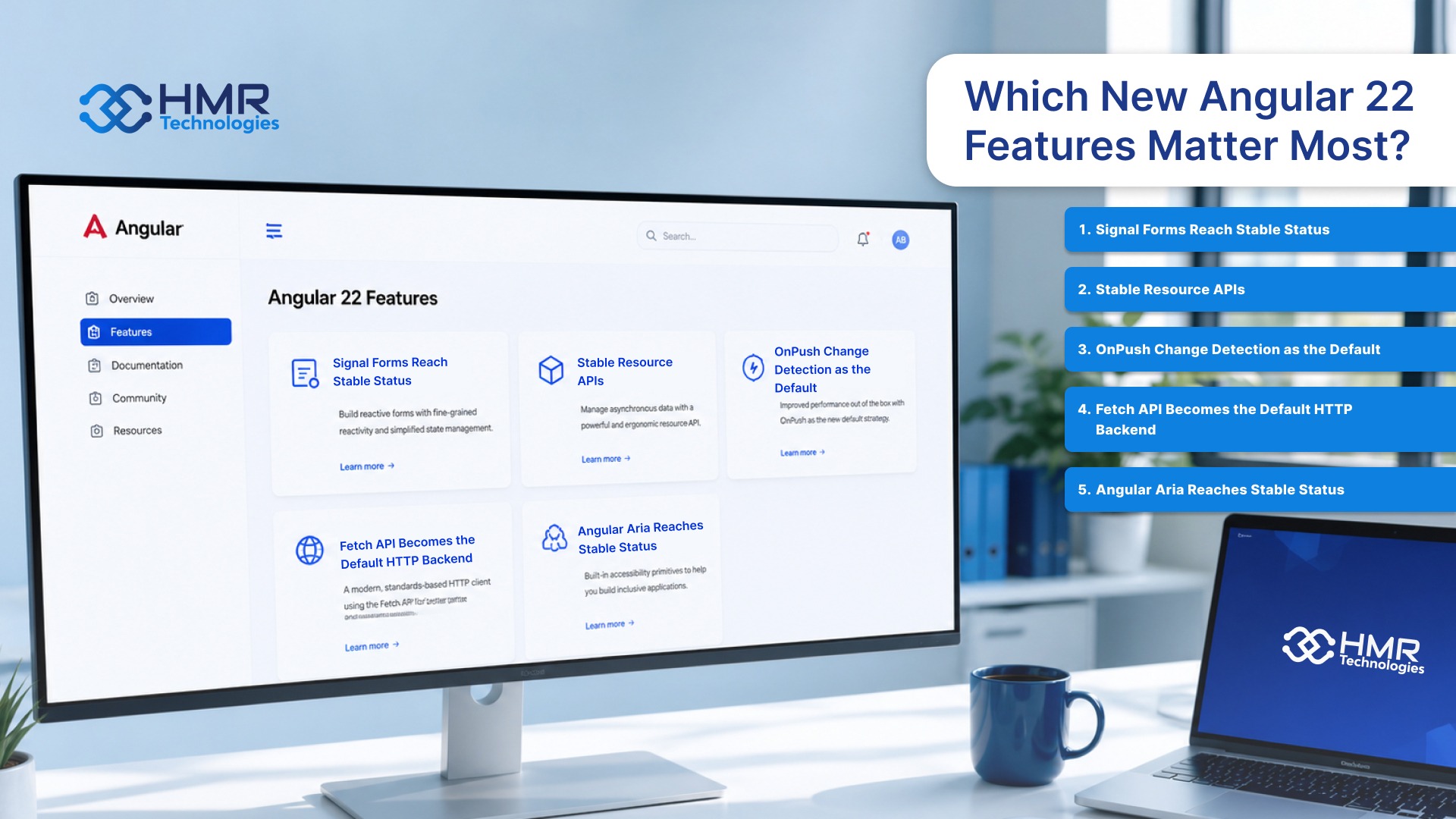
Angular 22 introduces several updates that focus on simplifying application development, improving performance, and making modern Angular patterns production-ready. While some changes happen behind the scenes, others can directly influence how teams build and maintain applications going forward.
Signal Forms Reach Stable Status
Signals have been one of Angular’s biggest architectural shifts in recent years, and Angular 22 continues that journey by bringing Signal Forms to stable status.
Traditional reactive forms often require developers to manually manage observables, subscriptions, and state synchronization. Signal Forms provide a more straightforward approach by integrating form state directly with Angular’s Signals-based reactivity model.
For development teams, this means less boilerplate code, improved readability, and a more predictable way to manage complex forms. It also aligns forms with Angular’s broader reactive programming strategy, making applications easier to maintain as they grow.
Stable Resource APIs
Resource APIs have also reached stable status in Angular 22, providing a standardized way to handle asynchronous data fetching and state management.
In previous versions, developers often relied on custom patterns or third-party libraries to manage loading states, errors, and server responses. Resource APIs simplify this process by offering a built-in approach for managing data requests.
The result is cleaner code and more consistent data handling across applications. For teams working on large-scale projects, this can contribute to reducing software development complexity while improving maintainability over time.
OnPush Change Detection as the Default
Performance has always been a priority for Angular, and Angular 22 takes another step forward by making OnPush change detection the default behavior for newly generated components.
With OnPush, Angular performs fewer unnecessary checks during rendering, helping applications run more efficiently. This becomes especially valuable in large enterprise applications where performance can be affected by complex component hierarchies and frequent state updates.
For developers, the shift encourages better state management practices while helping applications scale more effectively.
Fetch API Becomes the Default HTTP Backend
Angular 22 now uses the browser’s Fetch API as the default HTTP backend instead of relying primarily on XMLHttpRequest.
Most developers may not notice a significant difference in day-to-day development, but the change brings Angular closer to modern web platform standards. Fetch offers improved streaming support, better compatibility with modern browser capabilities, and a cleaner foundation for future enhancements.
For organizations building long-term products, adopting web-standard technologies helps ensure applications remain aligned with the broader evolution of frontend development.
Angular Aria Reaches Stable Status
Accessibility is no longer an optional consideration for modern applications. Many organizations must meet accessibility requirements to serve diverse users and comply with industry regulations.
Angular Aria reaching stable status gives developers a more reliable framework-supported approach for building accessible user interfaces. It simplifies the implementation of accessibility best practices and helps teams create applications that are usable by a wider audience.
For enterprise applications, public-sector platforms, and customer-facing products, stronger accessibility support can improve both compliance and overall user experience.
From Angular 21 to Angular 22: How the Framework Evolved
Angular 22 continues the framework’s transition toward a more reactive, performant, and developer-friendly architecture. While Angular 21 introduced several experimental capabilities, Angular 22 focuses on stabilizing those features and making them ready for production use.
The table below highlights some of the most significant differences between Angular 21 and Angular 22.
| Area | Angular 21 | Angular 22 |
|---|---|---|
| Signal Forms | Developer Preview | Stable and production-ready |
| Resource APIs | Experimental | Stable status |
| Change Detection | OnPush is available,a but not the default | OnPush becomes the default for new components |
| HTTP Backend | XMLHttpRequest-based backend by default | Fetch API becomes the default backend |
| Angular Aria | Developer Preview | Stable release |
| Reactive Development | Expanded Signals adoption | Stronger Signals integration across core features |
| Performance Optimization | Improved rendering and reactivity | Additional optimizations through default OnPush strategy |
| Accessibility Support | Early Angular Aria implementation | Stable accessibility tooling |
| Enterprise Readiness | Strong foundation | Greater stability for modern Angular development patterns |
For most development teams, the move from Angular 21 to Angular 22 is less about learning entirely new concepts and more about benefiting from features that have now matured. Organizations already adopting Signals and modern Angular patterns will find the upgrade process relatively straightforward while gaining access to a more stable and refined development experience.
What Breaks When You Upgrade to Angular 22?
For most applications, upgrading to Angular 22 is expected to be relatively smooth. However, development teams should still review their applications carefully before moving to the latest release.
One area that may require attention is custom implementations built around features that were previously experimental. Since some APIs have now reached stable status, teams may need to update existing patterns to align with Angular’s recommended approach.
Applications that rely heavily on custom change detection behavior should also be tested thoroughly. With OnPush becoming the default for newly generated components, developers may need to review component interactions and state management patterns to ensure everything behaves as expected.
Teams should also verify compatibility with third-party libraries, internal tooling, and build configurations. While most popular packages are expected to support Angular 22, older dependencies may require updates before the migration is complete.
Before upgrading, it’s a good practice to:
- Review the official migration recommendations.
- Update third-party dependencies to compatible versions.
- Test critical user workflows and application performance.
- Validate custom forms, API integrations, and accessibility features.
For organizations managing large applications, working with a dedicated frontend development team can help streamline the upgrade process and reduce migration risks.
Overall, Angular 22 is designed to make adoption easier rather than introduce disruptive changes. Most teams will spend more time validating existing implementations than fixing major breaking issues.
Why Angular 22 Is Built for Enterprise-Scale Frontend Development
Enterprise applications often involve large codebases, multiple teams, complex workflows, and long-term maintenance requirements. Angular has traditionally been a strong choice for these environments, and Angular 22 continues that focus.
Features such as stable Signal Forms, Resource APIs, and default OnPush change detection help teams build applications that are easier to maintain and optimize as they grow. These improvements support better performance while encouraging more predictable development patterns.
Angular’s opinionated architecture, strong TypeScript support, and built-in tooling also help organizations maintain consistency across projects. This can be especially valuable for teams focused on reducing software development complexity while managing large frontend applications.
Combined with Google’s ongoing support and Angular’s mature ecosystem, Angular 22 remains a reliable choice for organizations building scalable and long-lasting enterprise applications.
For companies evaluating a broader frontend framework comparison, Angular 22 remains one of the strongest options for building secure, scalable, and maintainable enterprise applications.
What AI and Agentic Features Does Angular 22 Add?
Angular 22 isn’t an AI framework, but it introduces capabilities that make it easier to build applications powered by AI services and intelligent agents.
One notable addition is the stabilization of Resource APIs, which simplify asynchronous data handling. This is particularly useful when working with AI models, agent workflows, and real-time API responses, where applications frequently need to manage loading states, streaming data, and dynamic updates.
Angular’s continued investment in Signals also benefits AI-driven applications. Signals provide a more reactive way to manage changing data, making them well-suited for chat interfaces, AI assistants, recommendation systems, and other experiences where information updates continuously.
These improvements align with broader enterprise AI software trends, where businesses are increasingly integrating AI capabilities into existing applications rather than building separate systems from scratch.
For organizations exploring AI implementation strategies, Angular 22 provides a modern frontend foundation that can support AI-powered experiences while maintaining the scalability and structure required for enterprise applications.
Conclusion
Angular 22 continues the framework’s evolution with a strong focus on stability, performance, and modern development practices. Rather than introducing disruptive changes, this release refines key capabilities that developers have been adopting over the past few versions.
The stabilization of Signal Forms, Resource APIs, and Angular Aria, combined with improvements such as default OnPush change detection and the Fetch API backend, makes Angular 22 a more mature and efficient platform for building modern web applications.
For development teams, the upgrade offers an opportunity to simplify application architecture, improve maintainability, and align projects with Angular’s long-term direction. For businesses, these improvements can contribute to better application performance, lower maintenance overhead, and a stronger foundation for future growth.
Whether you’re planning a new project or evaluating an upgrade, Angular 22 reinforces why Angular remains one of the most trusted frameworks for enterprise-scale frontend development.



 June 15, 2026
 10 min read